LIVEEarly Access since Oct 9, 2026Game v0.1.50.17746Steam reviews Very Positive · 91% (209)Facts checked Oct 11, 2026Patch notes →
RESTOCK — TERMINAL TO FRIDGE

Japanese Ramen Simulator Restock: Order, Delivery & Fridge

Steam Early Access (v0.1.50.17746). Food Market orders, street delivery boxes, handcart carry-in, snowflake fridge storage, spoil warnings, and emergency reorders — Max V2 Part 1 + JMXP Part 1 creator preview runs (values unconfirmed).

Unofficial fan wiki — not affiliated with Wild Dog or Steam.

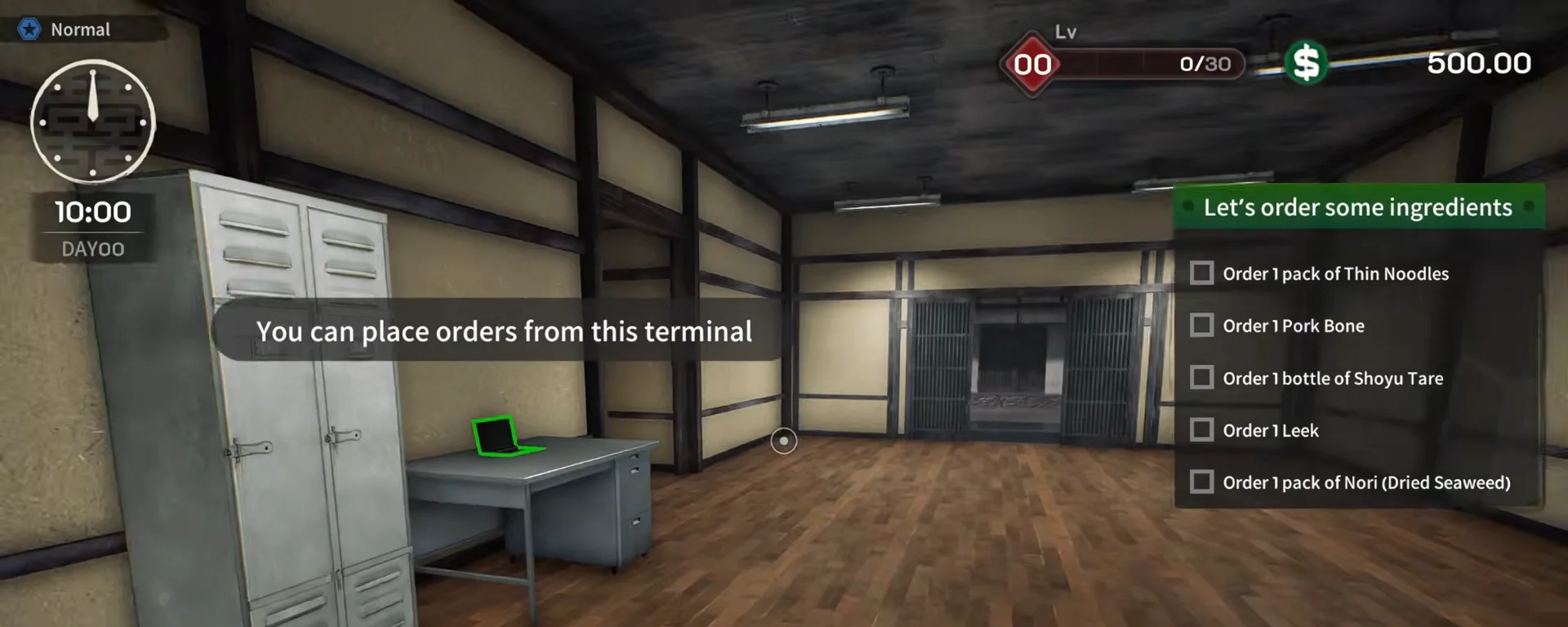
Japanese Ramen Simulator day-zero tutorial checklist beside a gray desk with a green-highlighted laptop and the speech bubble You can place orders from this terminal — Day 0 at 10:00 — the back-office laptop is your first order terminal.
📸 Day 0 at 10:00 — the back-office laptop is your first order terminal.▶ Watch this beat in the source video: 2:15

The restock loop in 30 seconds

OBSERVED

Terminal cart → outdoor drop → carry-in → fridge/closet. Snowflakes mean cold storage; treat UI spoil banners seriously.

  • Back-office laptop = Food Market ordering UI
  • Deliveries land outside — pick up whole boxes
  • Green handcart optional (/guides/handcart-guide)
  • Close-down checklist: Fridge + Closet
  • Re-order from the same terminal after stock loss

Day 1 official fridge note

OFFICIAL

Food inside an open fridge overnight no longer disappears (Day 1 patch) — cold-marked packs left on counters still spoil in preview UI. Steam Day 1 patch · /guides/beginner-mistakes-guide

Sources & verification footage

How we label data

This is an unofficial fan wiki. Each claim carries a source label so you can tell what the developer confirmed from what we estimated.

  • OFFICIALFrom the Steam store page, official announcements or patch notes.
  • OBSERVEDSeen in gameplay footage or hands-on builds; the release build may differ.
  • PLAYER REPORTReported by players on Steam; we have not reproduced it.
  • SITE MODELA calculation or estimate built by this site — not an in-game value.

Screenshots: timestamped Max V2 Part 1 (oP_poqX2KjI) and JMXP Part 1 (Dq9b0vdpqH0) frames cropped to game UI only (no streamer overlays). Prices and spoil timers are observed — prefer /changelog and /guides/beginner-mistakes-guide.

10-step order → delivery → fridge walkthroughOBSERVED

Japanese Ramen Simulator day-zero tutorial checklist beside a gray desk with a green-highlighted laptop and the speech bubble You can place orders from this terminal
STEP 01

Step 1 — Open the supply terminal (laptop checklist)

Both preview runs start at a counter laptop: JMXP Part 1’s tutorial lists thin noodles, pork bone, shoyu tare, leek, and nori before you ever see a box. This is the same ordering surface later labeled Food Market in Max V2 Part 1 — not the cash register. For ingredient prices as a site model, see /ingredients; profit framing lives on /guides/money-guide.

▶ Watch this beat in the source video: 2:15
📸 Day 0 — the back-office laptop is the restock terminal before the first delivery.
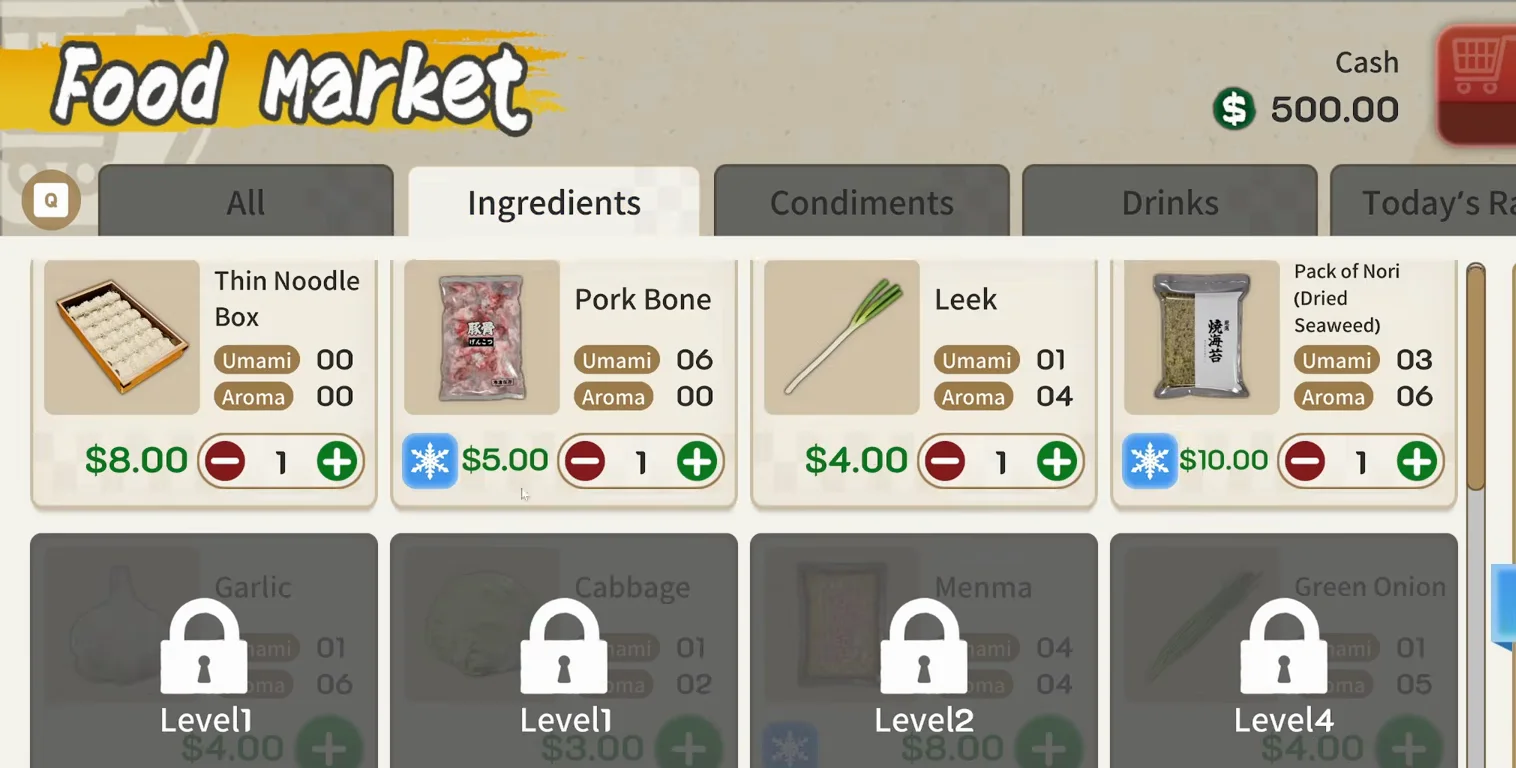
Japanese Ramen Simulator Food Market terminal on day zero with Thin Noodle Box, Pork Bone, Shoyu Tare, Leek and Nori in the cart and blue snowflake icons on chilled packs
STEP 02

Step 2 — Build a Food Market cart (snowflake badges)

Max V2 Part 1’s first shop day keeps the Ingredients tab open: pork bone and nori show the blue snowflake on the card before checkout. The preview run buys one each of noodles, bone, tare, leek, and nori with $500 starting cash — prices are observed only. Unlock gates (garlic Lv.1, menma Lv.2, etc.) are visible on the same grid; level timing is on /guides/level-unlocks-guide.

▶ Watch this beat in the source video: 2:52
📸 Food Market — snowflake badges mark packs that expect fridge storage.
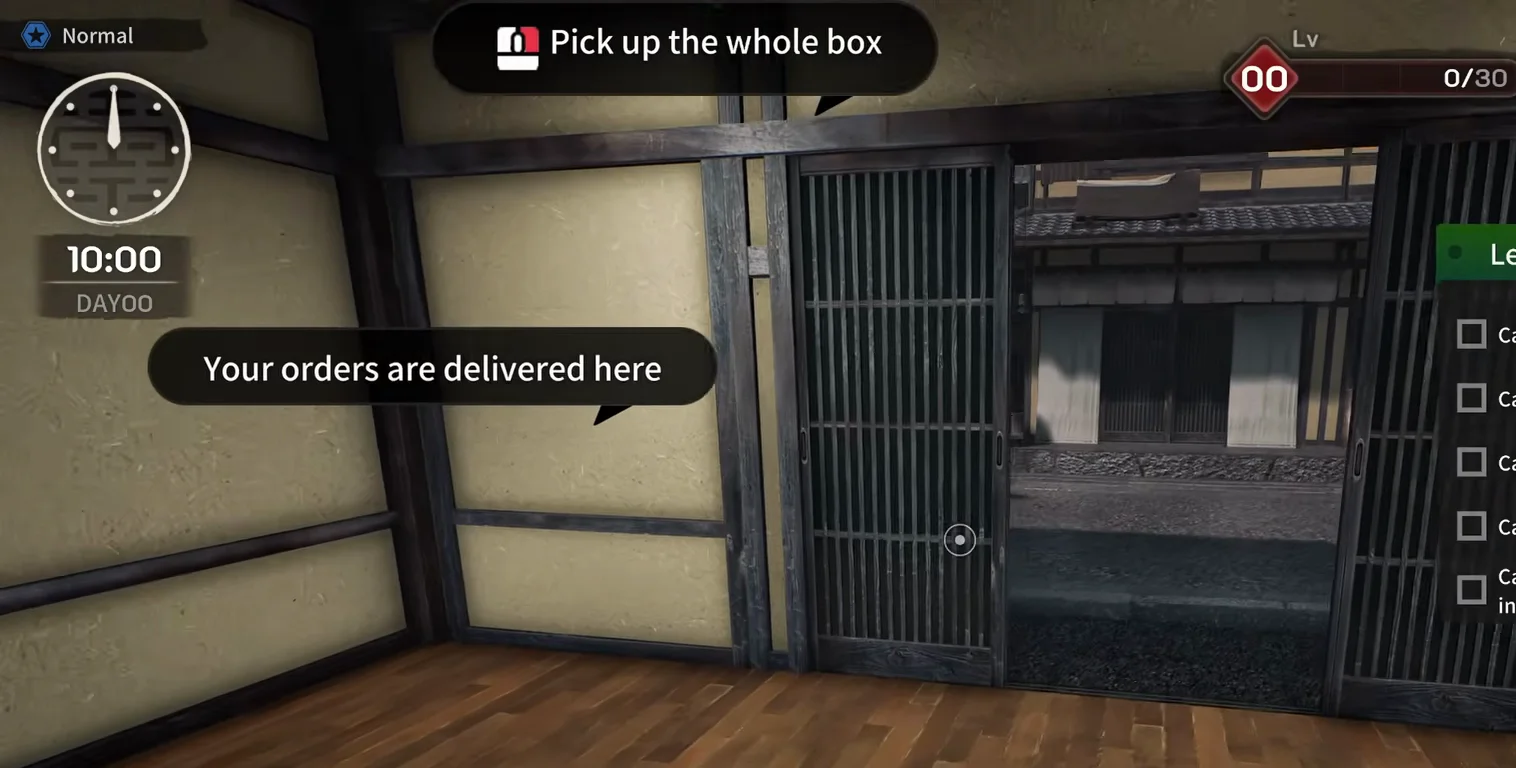
Japanese Ramen Simulator day-zero tutorial at 10:00 inside the shop doorway with the banners Pick up the whole box and Your orders are delivered here pointing at the open street entrance
STEP 03

Step 3 — Find the outdoor delivery doorway

Max V2 Part 1 at 10:00 highlights the sliding street door with “Your orders are delivered here” before you walk out to the asphalt pad (step 5 shows the boxes). JMXP Part 1 names the same pad as Floyd’s delivery spot. Official store footage opens vacuum pork from a kraft box on /guides/money-guide — different clip, cost context only.

▶ Watch this beat in the source video: 3:02
📸 Tutorial beat — deliveries land outside this doorway, not in the fridge.
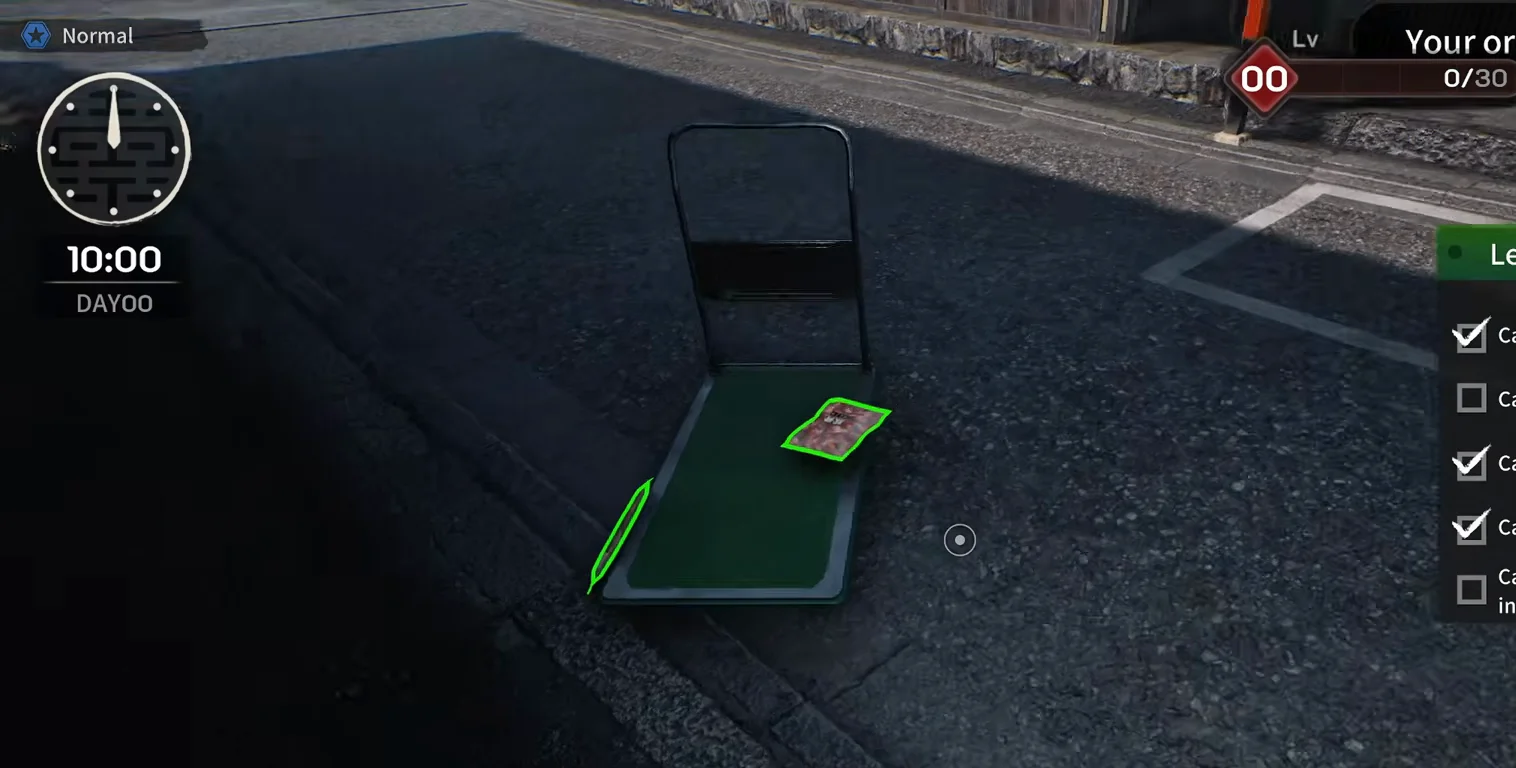
Japanese Ramen Simulator day-zero street pad at 10:00 with a green flatbed handcart on the asphalt and one vacuum-packed ingredient outlined in green beside the shop curb
STEP 04

Step 4 — Spot the green handcart on the delivery pad

Max V2 Part 1 lets you haul from the street pad with the green flatbed cart — physics, Day 1 tweaks, and stuck-tutorial workarounds are on /guides/handcart-guide. This frame shows the cart on the asphalt pad, not a stacked kraft load; you can still hand-carry whole boxes instead.

▶ Watch this beat in the source video: 4:25
📸 Optional handcart — same outdoor pad as the cardboard drop.
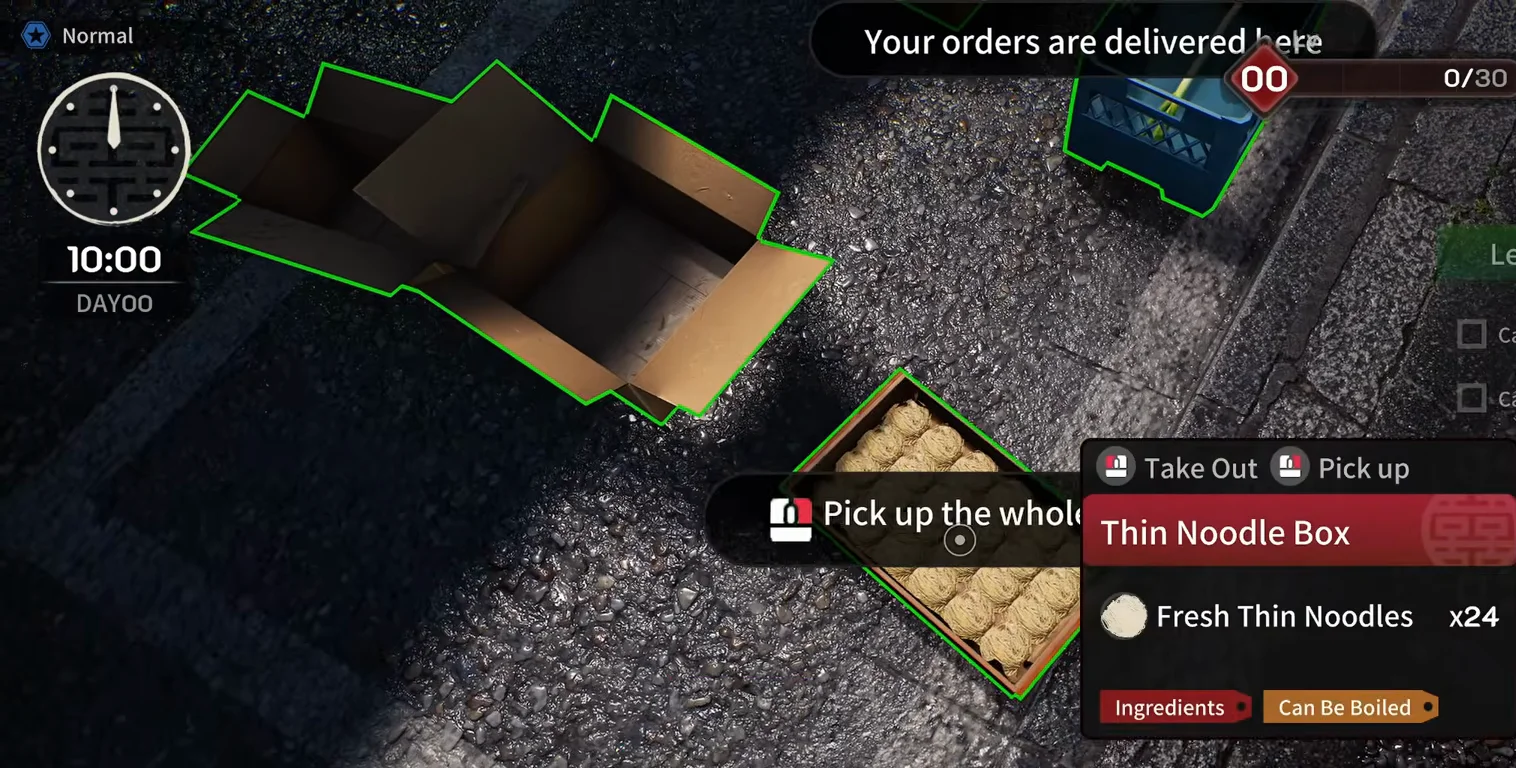
Japanese Ramen Simulator day-zero street delivery at 10:00 with an open empty kraft box, a Thin Noodle Box crate of fresh noodles, and a blue plastic crate on the asphalt marked Your orders are delivered here
STEP 05

Step 5 — Unpack deliveries on the street pad

Max V2 Part 1 spreads cartons on the asphalt: an opened kraft shell, a Thin Noodle Box with Fresh Thin Noodles x24, and plastic crates for leek/nori SKUs. Tutorials still track “Carry the … into the shop” per item after you pick from the pad — observed flow, not a published weight table.

▶ Watch this beat in the source video: 3:28
📸 Unpack on the pad — noodle crate, leek box, and empties side by side.
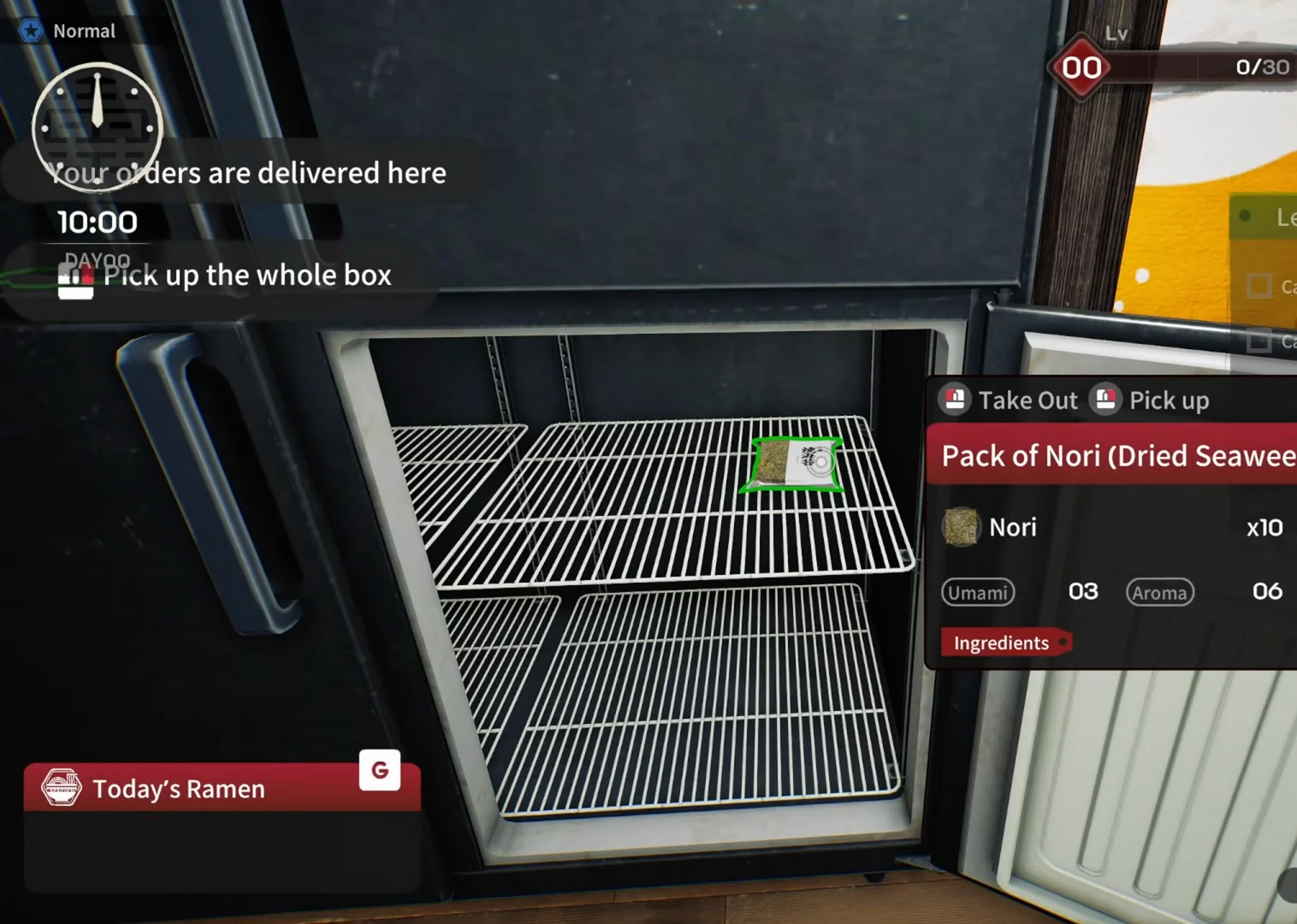
Japanese Ramen Simulator open two-door fridge with a Pack of Nori ingredient card showing the snowflake keep-chilled badge and Take Out prompt during day-zero stocking
STEP 06

Step 6 — Stock snowflake packs in the fridge

JMXP Part 1’s first unboxing puts nori into the tall fridge with the snowflake badge visible on the inspect card. Room-temperature shelves hold noodles and dry goods in the same preview — only UI-marked cold items are forced into the fridge tutorial. Day 1 official notes: food left inside an open fridge overnight no longer vanishes; items left outside still need cold storage (/guides/beginner-mistakes-guide).

▶ Watch this beat in the source video: 4:00
📸 Fridge UI — snowflake on the nori card while the door is open.
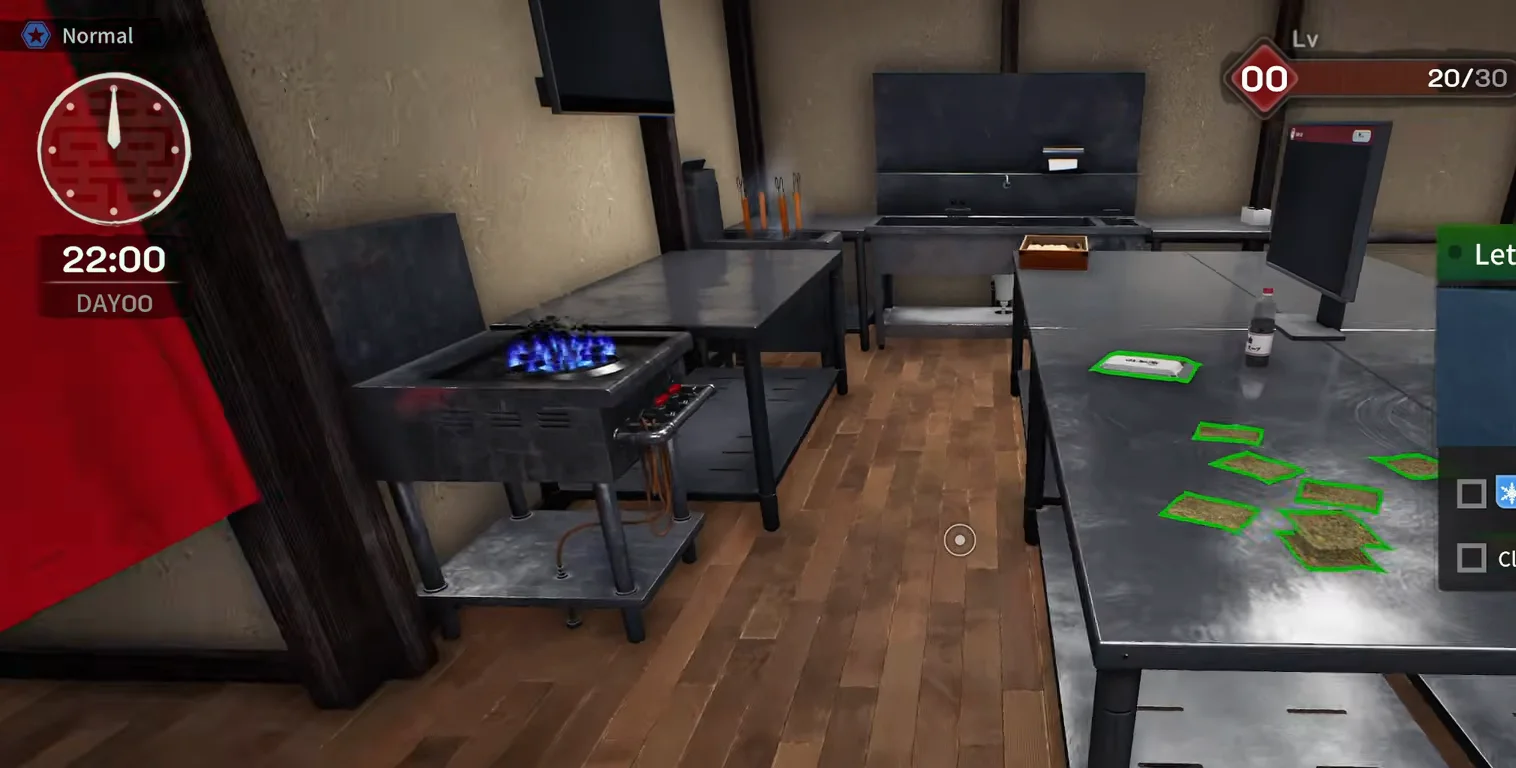
Japanese Ramen Simulator stainless prep counter at 22:00 on day zero covered with green-outlined vacuum ingredient packs beside a monitor and condiment bottle
STEP 07

Step 7 — Close-down: move counter piles into the fridge

Max V2 Part 1 at 22:00 stacks vacuum packs on the prep table until the tutorial demands refrigerator storage (broth pots included in the same checklist in commentary). This is the habit loop beginner-mistakes calls a “close-down sweep” for every snowflake-marked box, pack, and soup pot.

▶ Watch this beat in the source video: 14:52
📸 Close-down sweep — counter piles before the fridge checklist fires.
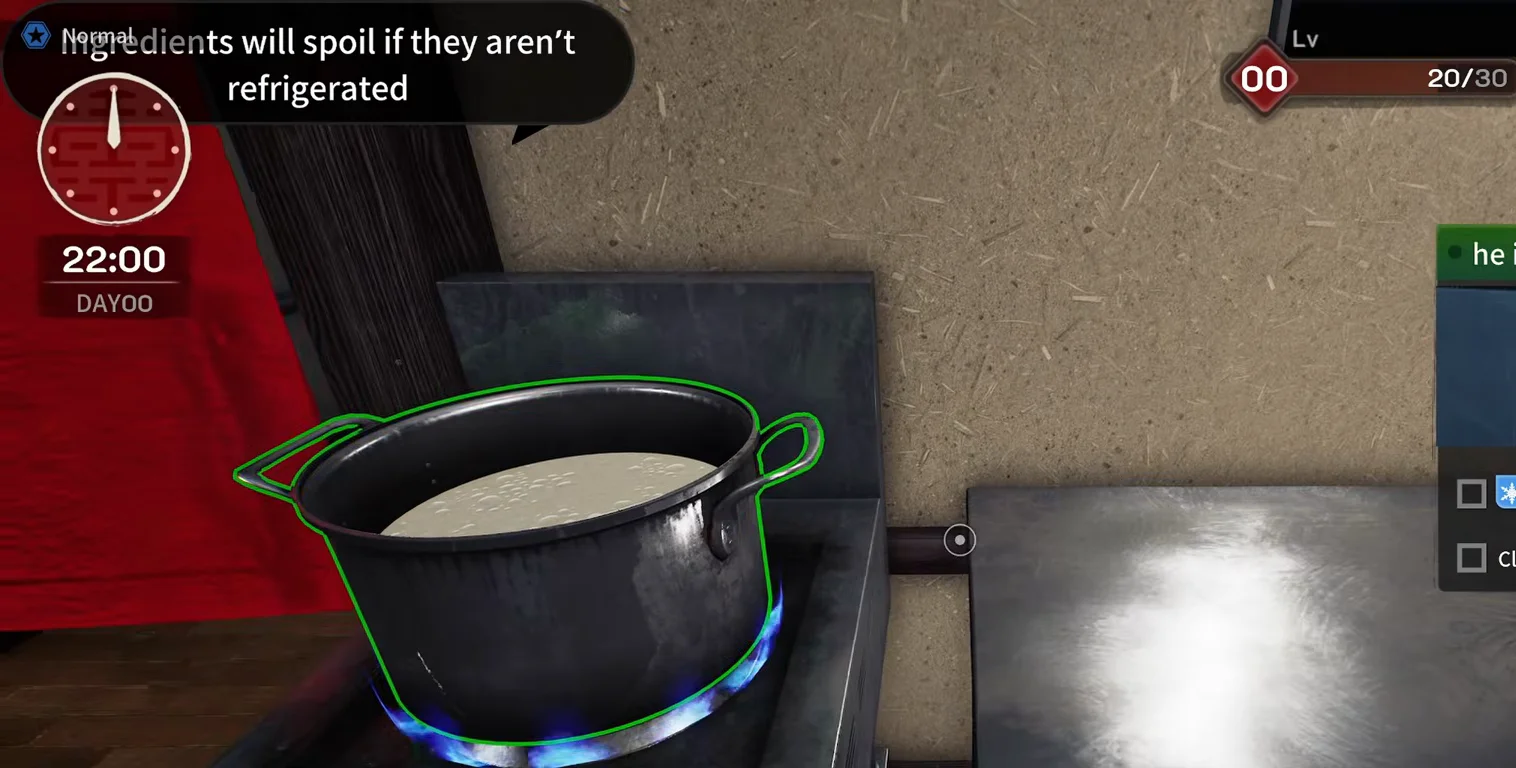
Japanese Ramen Simulator kitchen at 22:00 on day zero with a green-outlined broth pot on the gas stove and the tutorial banner Ingredients will spoil if they aren’t refrigerated
STEP 08

Step 8 — Heed the spoil banner

Max V2 Part 1 surfaces an explicit “Ingredients will spoil if they aren’t refrigerated” line during the first night checklist. JMXP Part 1 later says ingredients “will spoil” if left out while prepping green onion — preview commentary, not a published spoil timer. Treat spoil as real when the UI warns you; exact decay rates are unannounced.

▶ Watch this beat in the source video: 14:47
📸 Spoil warning — shown if cold stock sits out at close-down.
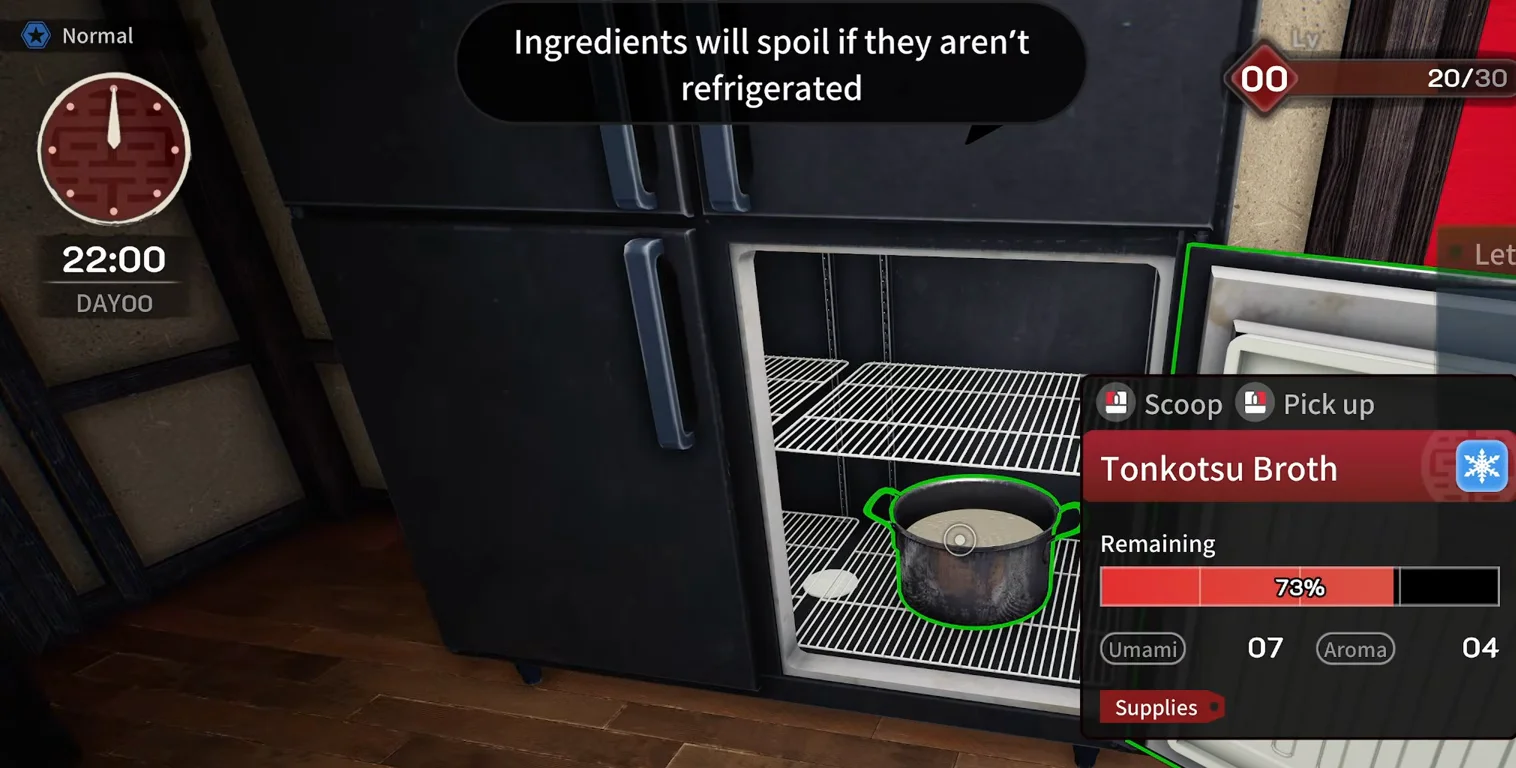
Japanese Ramen Simulator open fridge at 22:00 on day zero with a Tonkotsu Broth pot on the wire shelf, snowflake badge on the inspect card, and the banner Ingredients will spoil if they aren’t refrigerated
STEP 09

Step 9 — Stow broth pots in the fridge at 22:00

After the counter sweep, Max V2 Part 1 opens the tall fridge for Tonkotsu Broth with the snowflake badge and the same spoil banner still on screen. Dry noodles and shoyu tare usually sit on closet shelves in the same preview — treat every snowflake card as fridge-bound even when the close-down checklist is off-screen.

▶ Watch this beat in the source video: 15:00
📸 Close-down — park snowflake broth in the fridge before you leave.
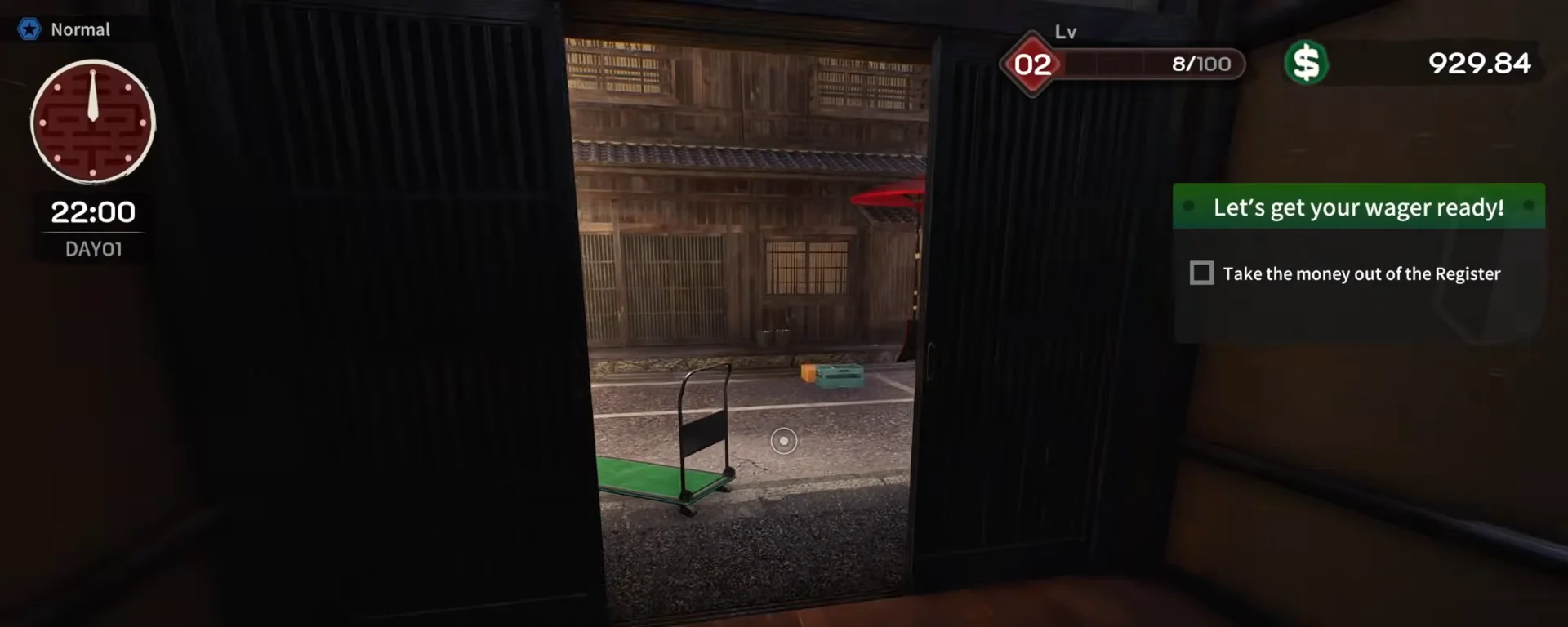
Japanese Ramen Simulator shop doorway at 22:00 on day one looking out to a stone street with an empty green handcart on the pad and orange and teal delivery crates farther down the alley
STEP 10

Step 10 — Mid-service / late-night delivery crates

JMXP Part 1 orders leek and pork bone again while tickets are active; commentary thanks a “late night delivery” drone while crates sit on the street pad. Max V2 Part 1 does not show the same beat — treat rush reorders as observed in JMXP, not guaranteed in every EA build. Mid-shift menma buys from the terminal appear in /guides/customer-orders-guide (different footage). After spoil loss, re-order from the same laptop terminal — no clean empty-fridge screenshot in this guide.

▶ Watch this beat in the source video: 24:16
📸 22:00 day one — JMXP calls the second drop a late-night delivery.

Restock & delivery FAQ

Q1.Where do I order ingredients in Japanese Ramen Simulator?

Creator preview footage uses a back-office laptop labeled Food Market / supply terminal — not the register. Open it from the desk checklist on day zero, add SKUs to the cart, then pay with shop cash. Equipment and decor tabs share the same UI shell.

Q2.How do ingredient deliveries arrive?

Shipments land on the outdoor pad as kraft boxes or plastic crates; tutorials prompt “Pick up the whole box” and optionally use the green handcart (/guides/handcart-guide). Commentary mentions drones on late drops — observed flavor text, not a separate minigame.

Q3.What does the snowflake icon on ingredients mean?

In preview UI it marks packs that expect refrigerator storage — pork bone, nori, menma cards show it on the Food Market grid and on inspect popups. It is a storage hint, not an umami stat.

Q4.Do ingredients disappear if I forget the fridge?

Preview runs show spoil warnings and JMXP commentary about overnight loss when cold stock stays out. Day 1 official patch: food inside an open fridge overnight no longer vanishes — items left outside still need refrigeration (/guides/beginner-mistakes-guide). Exact spoil timers are unannounced.

Q5.Can I restock during an open shift?

JMXP Part 1 places a second delivery while tickets are active (step 10). Max V2 Part 5 shows mid-shift menma terminal buys in /guides/customer-orders-guide. Whether every SKU can rush-order in EA is unconfirmed — watch your cash and carry-in time.

Q6.How much stock should I buy before opening?

Day-zero tutorials buy one pack each of noodles, bone, tare, leek, and nori on $500 cash — enough to finish lesson one, not a meta target. JMXP later bulk-orders nori when trays run low. Use /guides/first-week-walkthrough for day-by-day pacing; treat counts as observed, not optimal math.

Q7.Does this page repeat the money guide delivery photo?

No — /guides/money-guide uses official store vacuum-pork footage for profit context only. This walkthrough uses Max V2 + JMXP preview frames for the full terminal → street box → fridge loop with different timestamps and angles.

Related pages