LIVEEarly Access since Oct 9, 2026Game v0.1.50.17746Steam reviews Very Positive · 91% (209)Facts checked Oct 11, 2026Patch notes →
FIRST SHOP GUIDE · EARLY ACCESS LIVE (v0.1.50.17746)

Japanese Ramen Simulator Beginners Guide: Day One (2026)

Steam Early Access since 2026-10-09 (v0.1.50.17746). First-day flow: layout, mise en place, noodles, menu board, counter service, solo part-time staff. Seven steps from the official trailer and store clips; Day 1 changes in the card below and on /changelog.

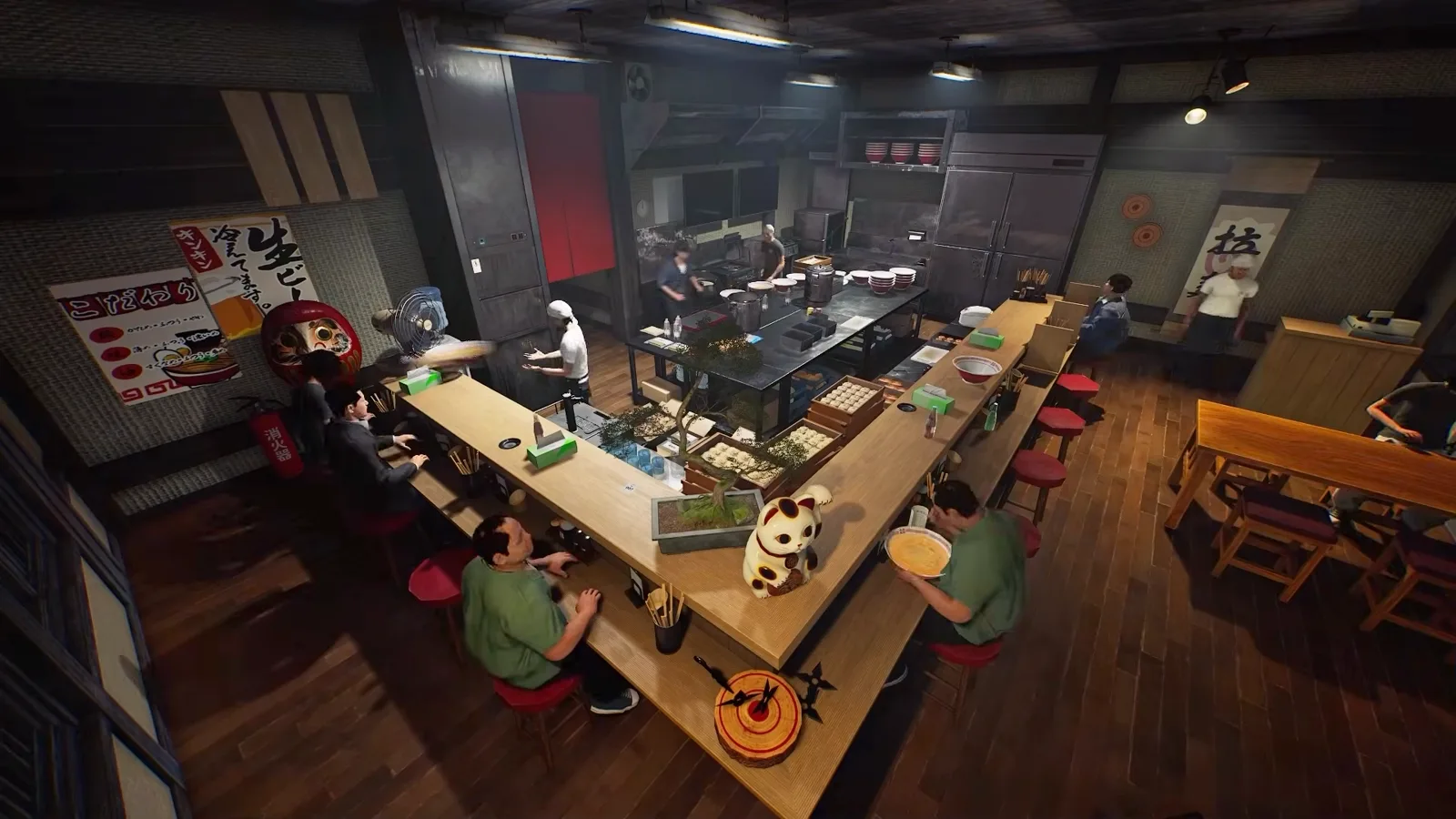
Japanese Ramen Simulator full restaurant view showing an L-shaped counter with seated customers and an open back kitchen where up to six crew members can work one service
📸 The full shop floor from official footage: counter seats wrap around an open kitchen where up to six crew members can run one service together.

After Day 1: official changes to know

OFFICIAL

Day 1 patch v0.1.48.17626 (2026-10-09) affects day-one play. Full notes: Steam Day 1 patch notes, /changelog.

  • OFFICIALTutorial: actions finished before the on-screen prompt now count (drain noodles, pour beer, cut ingredients, dishwasher, shop expansion). Day-one softlock (nori bowl / second customer eating) fixed. New cutting-board lock tutorial; beer tutorial no longer requires a completely full mug.
  • OFFICIALDifficulty payouts (same order & rating): Easy ×1.4 (+40%), Normal ×1.2 (+20%), Hard / Very Hard unchanged.
  • OFFICIALCutting boards can be locked in place (right-click placed board). Carry up to five tare bottles at once (one in hand when pouring).
  • OFFICIALHandcart handling improved (range, turn/accel, reverse, customer collision, slopes). Fridge and sample-cabinet food no longer vanish overnight. New dish-clearing staff for plates, trays, and empty drink bottles.
  • OFFICIALOnline: connection failures now show cause, suggested fixes, and error codes; several join/sync and voice-chat fixes shipped.

→ /guides/tutorial-stuck-guide · /guides/handcart-guide · /guides/multiplayer-troubleshooting · /guides/player-faq

Unofficial fan wiki — not affiliated with Wild Dog or Steam. Prefer in-game text and /changelog for the latest facts.

First Shop Day at a Glance

The first-day loopRead the shop layout → prep toppings and stock → boil and strain fresh noodles → paint your menu board → open the doors and work the counter → close out the day.

3 Traps First-Time Owners Fall Into

TRAP 1

Opening the doors before mise en place is done. Once customers sit down there is no pause button — have chashu, toppings, and noodles portioned first.

TRAP 2

Stacking every crew member on one station. Up to six players share one shop, so split cooking, noodles, and counter service into separate roles.

TRAP 3

Ignoring shop safety. The developer confirms thieves and kitchen fires — keep a fire extinguisher within reach during service.

Sources & provenance

The seven steps and shop footage come from the official 46s trailer, seven in-engine clips in the Steam store description (2.5–6.3s each), and press coverage — mostly pre-release material, so the live build may differ. For unannounced timings (shop-day length), see creator preview observations on /guides/first-week-walkthrough (release build may differ).

Trailer and preview-era notes are “pre-release preview observations; the release build may differ.” Day 1 official facts sit in the card above and on /changelog.

How we label data

This is an unofficial fan wiki. Each claim carries a source label so you can tell what the developer confirmed from what we estimated.

  • OFFICIALFrom the Steam store page, official announcements or patch notes.
  • OBSERVEDSeen in gameplay footage or hands-on builds; the release build may differ.
  • PLAYER REPORTReported by players on Steam; we have not reproduced it.
  • SITE MODELA calculation or estimate built by this site — not an in-game value.

Your First Shop Day in 7 StepsOBSERVED

Japanese Ramen Simulator shop floor layout with counter stools facing the prep counter so new players can learn where orders cooking and serving happen
STEP 01

Step 1: Before Opening — Learn the Shop Layout

Before your first customer sits down, walk the whole floor. Counter seats line an L-shaped counter facing an open kitchen, with a back kitchen for broth and prep. Up to six players share this space, so agree on who owns the cooking line, the noodle pot, and the counter before doors open.

📸 Overhead of the whole shop: counter seats, open kitchen, and prep area in one view — the base map for assigning roles.
Japanese Ramen Simulator topping station close-up with a finished bowl of green onion chili oil and sliced chashu next to a whole roasted pork loin ready for the first orders
STEP 02

Step 2: Mise en Place — Prep Toppings and Stock First

Do your prep while the shop is still quiet: slice and portion chashu, green onion, and toppings, and keep your soup base hot. When the first wave walks in, a bowl should need only assembly — not cooking from scratch.

📸 Close-up of a finished bowl: green onion, chili oil, and three slices of chashu, with the whole roast beside it — what finished prep looks like.
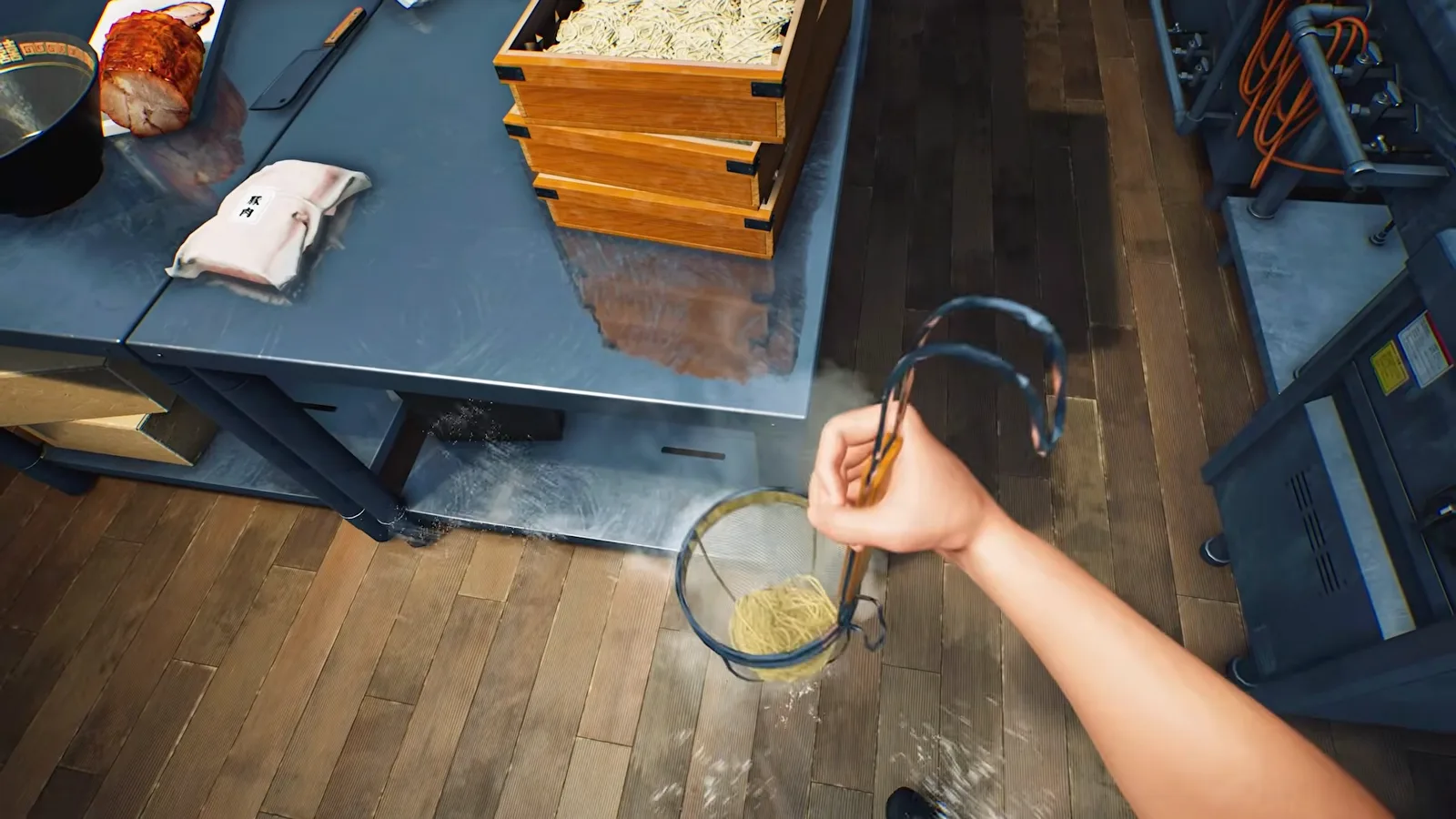
Japanese Ramen Simulator first-person noodle straining with a wire basket of fresh noodles beside stacked wooden noodle boxes on the stainless prep table
STEP 03

Step 3: Handle Fresh Noodles by Hand

The trailer shows the noodle work done by hand: portion fresh noodles into a wire basket, boil, and shake them dry. Noodles set the pace of every bowl — in co-op, keep one owner on the noodle station so timing stays consistent.

📸 First-person view: shaking a wire basket of fresh noodles dry, with wooden boxes of portioned noodles and chashu on the prep table.
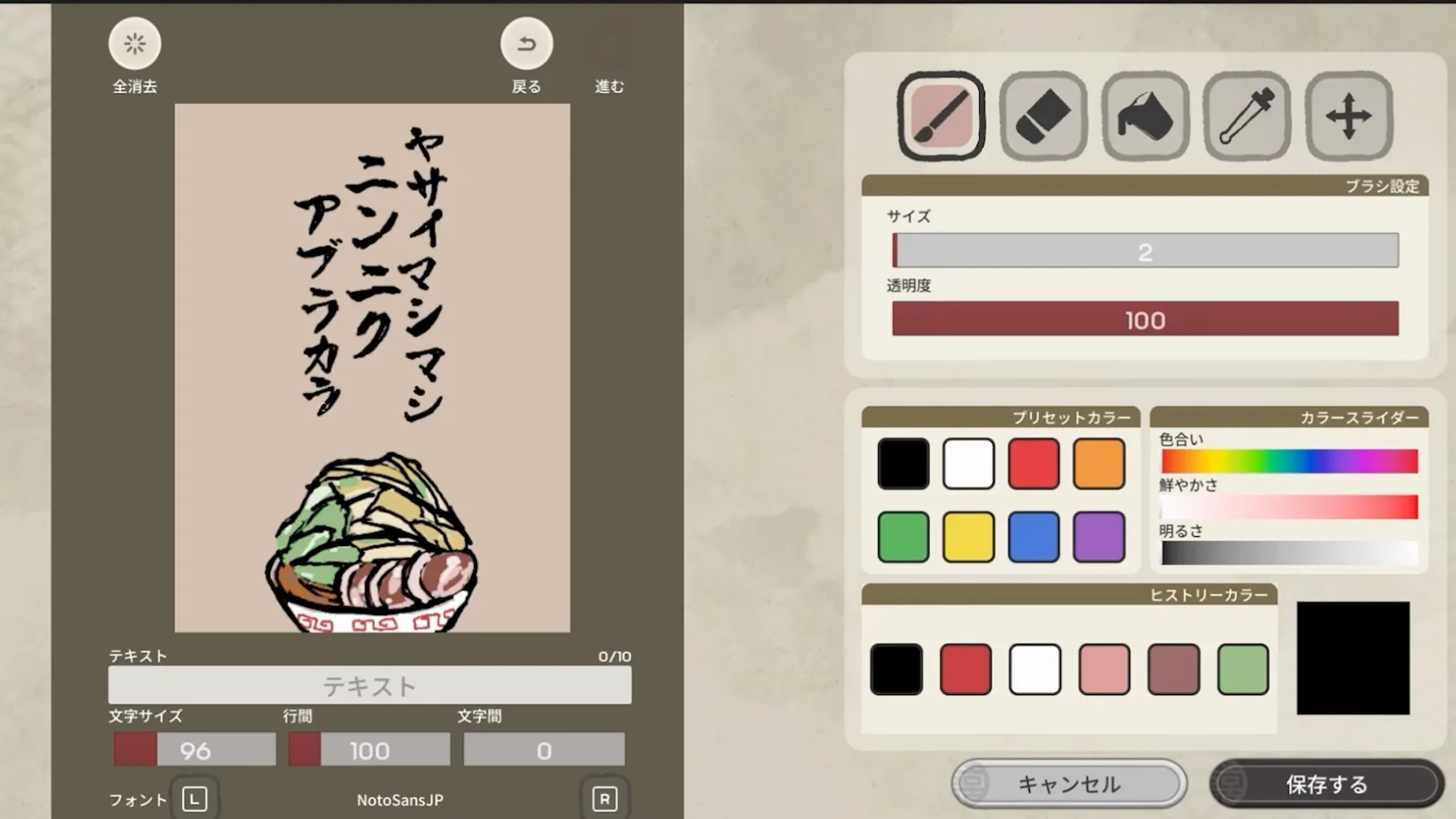
Japanese Ramen Simulator signboard editor screen with brush color palette and vertical Japanese text tools used to paint an original menu board for the shop wall
STEP 04

Step 4: Paint Your Menu and Recipe Board

The game ships with a full drawing board: brushes, color sliders, and vertical text tools for designing your own shop sign and menu board. Use it — a clear board tells customers what you sell before they even sit down.

📸 The signboard editor: your painted vertical menu and ramen illustration on the left, brush presets and color sliders on the right.
Japanese Ramen Simulator counter customer in a blue suit lifting noodles with chopsticks from a bowl topped with chashu seaweed and a seasoned egg during opening service
STEP 05

Step 5: Open the Doors — Counter Service Flow

Customers take counter stools and order; you boil, assemble, and slide bowls down the counter. The loop is: take the order, build the bowl, serve it hot, and free the seat for the next guest. In co-op, hand bowls to a teammate instead of running them yourself.

📸 A customer in a blue suit lifting noodles from a chashu, seaweed, and soft-egg bowl — counter service is exactly this loop, one bowl at a time.
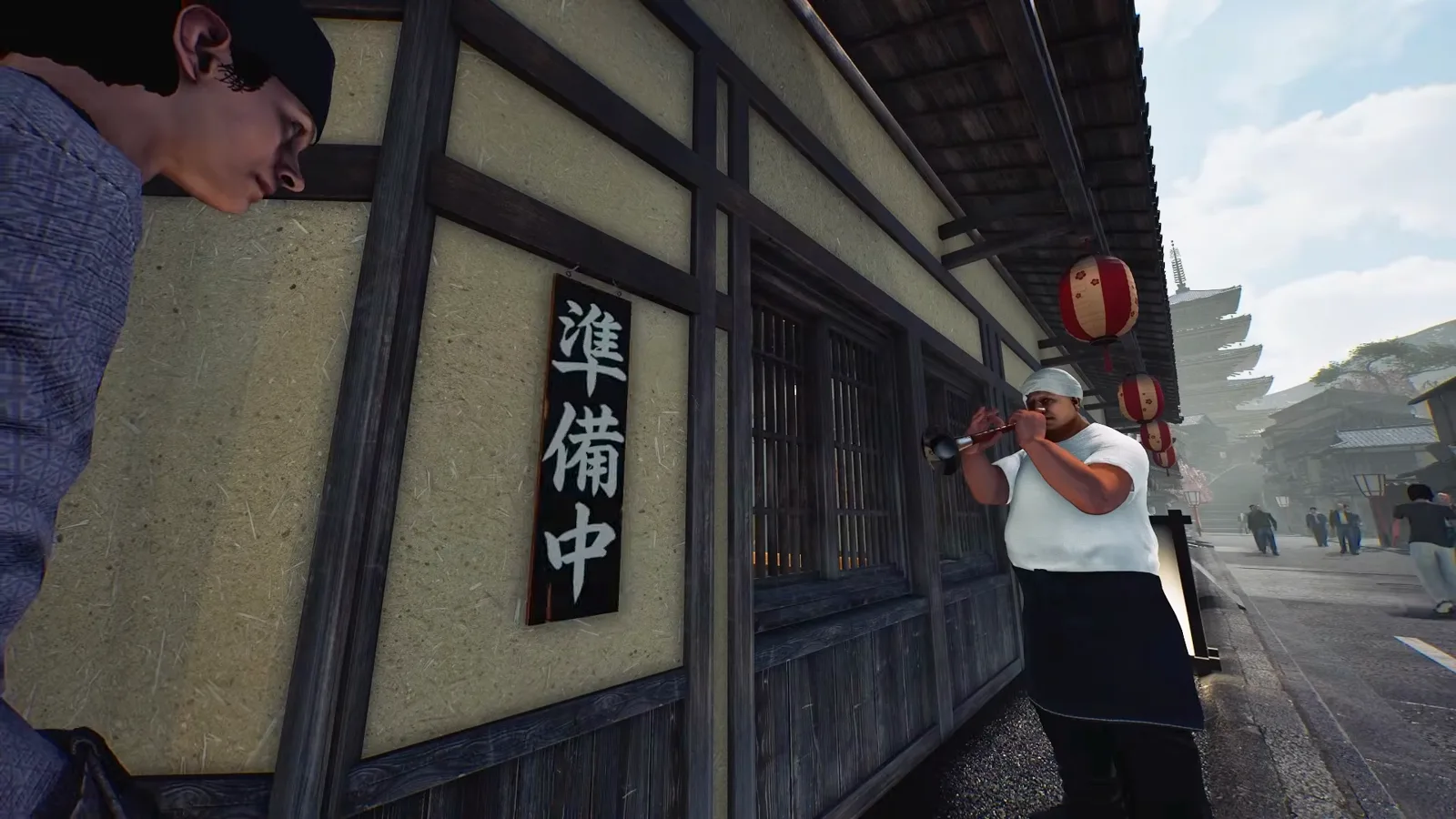
Japanese Ramen Simulator shop exterior before opening with a Japanese preparing plaque on the wall a chef waiting by the entrance and red lanterns along the street
STEP 06

Step 6: The Storefront — Signs and Opening Time

Your exterior works too: the wall plaque hangs on "preparing" until you are ready, then flips to greet guests, while the lanterns and street front give the shop its identity. Check the entrance before every shift so passers-by never mistake your shop for closed.

📸 The front of house before opening: the plaque still reads "preparing," a headband-wearing chef waits beside the red lanterns, and a pagoda rises down the street.
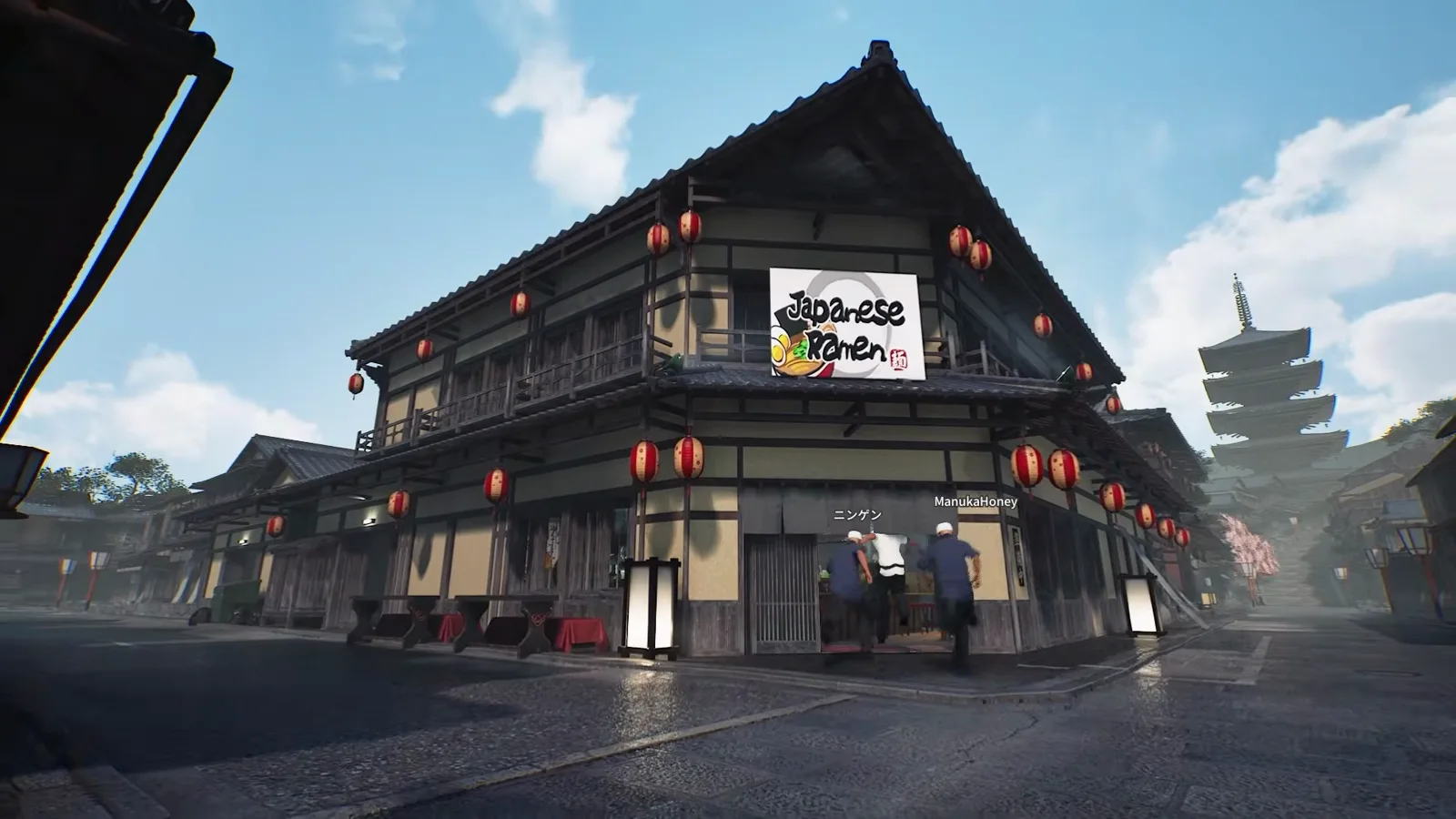
Japanese Ramen Simulator two-story corner shop with the game logo sign red lanterns and named crew members heading inside for an opening shift with a pagoda on the skyline
STEP 07

Step 7: Playing Solo — Hire Part-Time Staff

You do not need five friends to run this shop: the developer confirms solo owners can hire part-time staff to cover empty stations. In the trailer a full crew streams through the front door with name tags over their heads — online, those are friends; solo, hired help fills the same slots.

📸 At 8 seconds into the trailer: the two-story corner shop hung with red lanterns as named crew members head inside for the opening shift.

The "Open" Sign — Where the Daily Loop Begins (Official In-Engine Clip)

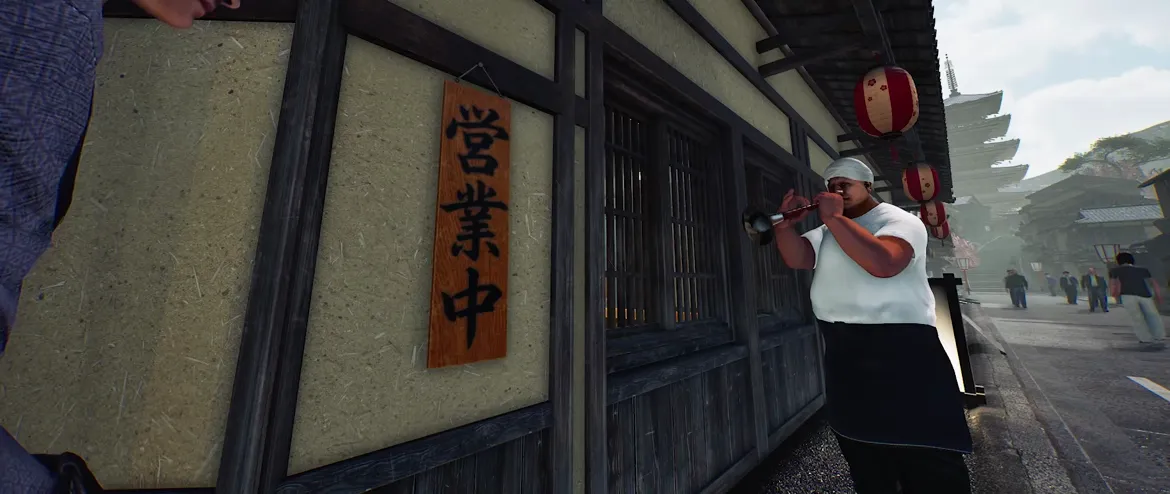
Japanese Ramen Simulator staff hanging the wooden open sign on the shop entrance wall as customers rush in, from the official store gameplay clip

The official in-engine store clip catches the exact moment a shop day starts: a staff member hangs the wooden "open" sign by the entrance while name-tagged customers dash inside (image below). That sign is the start of the core loop — flip the sign, greet the rush, take orders, boil and build bowls, serve, clear, reset the seat, and keep it spinning until close. Two things come before anything else on day one: hang the sign, and get the pots hot.

📸 From the official clip: the wooden open sign going up on the entrance wall — the daily loop starts here.

OBSERVED★ Shop-day length: no fixed official hours published. Creator preview runs often opened at 10:00 and closed around 21:00 — the release build may differ. See /guides/first-week-walkthrough and /guides/level-unlocks-guide.

First Shop Day: Frequently Asked Questions

Q1.Is Japanese Ramen Simulator out and playable now?

Yes. Steam Early Access went live worldwide on 2026-10-09; the Day 1 update v0.1.48.17626 shipped the same day per official Steam news. You need a Windows PC and a Steam purchase.

Q2.Can you play Japanese Ramen Simulator solo?

Yes. Online co-op supports 1–6 players, and the Steam store page confirms solo owners can hire part-time NPC staff. Day 1 added dish-clearing staff for plates and empty bottles.

Q3.Is Japanese Ramen Simulator co-op? How many players?

Yes — 1 to 6 players online. Connection issues: /guides/multiplayer-troubleshooting. Other common questions: /guides/player-faq.

Q4.How do thieves and fires work in Japanese Ramen Simulator?

Both appear in the official announcement materials: a shuriken-throwing thief targeting the shop, and kitchen fires you put out with a fire extinguisher. Treat them as service-day hazards and keep the extinguisher close.

Q5.What engine is Japanese Ramen Simulator on?

Unreal Engine 5. It is developed by Wild Dog, a Tokyo studio whose previous title is Keep Digging.

Q6.Will there be a demo for Japanese Ramen Simulator?

As of our 2026-10-10 store check we have not seen a demo announcement. Pre-purchase questions: /guides/player-faq and /is-it-worth-it.

Q7.How long is a day in Japanese Ramen Simulator?

No fixed official hour count. Pre-release creator preview observations often show 10:00 open and ~21:00 close, roughly 15–20 real minutes uncut early on — the release build may differ. Hour-by-hour notes: /guides/first-week-walkthrough; unlocks and Day 1 tweaks: /guides/level-unlocks-guide and /changelog.